If you want to Buy Altcoins with Google Pay instead of typing card numbers into every new crypto platform, you are very close to what many retail users are trying to do in 2026. Big exchanges, non custodial wallets and fintech apps have started to plug Google’s wallet into their payment flows so you can fund ETH, SOL, BCH, LINK and other tokens straight from your phone. The catch is that this payment option does not work everywhere, and it comes with its own rules, fees and risks that you should understand before you rely on it.
Contents
- 1 1. Can You Really Buy Altcoins with Google Pay in 2026
- 2 2. What It Really Means to Buy Altcoins with Google Pay
- 3 3. Requirements Before You Buy Altcoins with Google Pay
- 4 4. Best Platforms to Buy Altcoins with Google Pay in 2026
- 5 5. Step by Step: How to Buy Altcoins with Google Pay on a Crypto Exchange
- 6 6. How to Buy Altcoins with Google Pay in Wallets and Apps
- 7 7. Fees, Limits and Hidden Costs When You Use Google Pay for Altcoins
- 8 8. Security and Risk Management for Google Pay and Altcoins
- 9 9. Real World Use Cases for Buying Altcoins with Google Pay
- 10 10. Regulation, Legal and Tax for Altcoin Purchases via Google Pay in 2026
- 11 FAQs: Buying Altcoins with Google Pay
- 12 Conclusion and Next Steps – From Buying Altcoins with Google Pay to a Real Strategy
1. Can You Really Buy Altcoins with Google Pay in 2026
Using Google’s wallet to get into altcoins is possible in 2026, but not for everyone and not on every platform. Whether this route works for you depends on your country, your bank and the exchanges or apps you choose. This section gives you a quick snapshot before you spend time opening accounts.
1. Short answer: yes, but Google Pay is only a payment rail
Yes, you can Buy Altcoins with Google Pay on a growing list of exchanges, wallets and fintech apps, but the wallet is only the payment rail. It charges your linked card or bank account and passes the money to a crypto platform, where ETH, SOL, BCH, LINK and other coins are actually held. The app on your phone never becomes an altcoin wallet.
2. Where altcoin purchases through Google’s wallet are already supported
You mainly see this option in three places: big centralized exchanges that add a Pay with Google button, non custodial wallets that plug in fiat on ramp partners and modern finance apps that let you top up a fiat balance and convert part of it to crypto. Support is uneven, so a method that works well in one region or on one card might fail in another.
3. When using this method for altcoins makes sense and when it does not
Paying from your phone is strongest when you care about speed and convenience more than absolute lowest cost. It works well for small test buys, quick entries into new narratives and occasional top ups. It is a weaker choice for large or very frequent funding, where card fees, limits and extra checks from banks can make slower but cheaper rails more attractive.
2. What It Really Means to Buy Altcoins with Google Pay
Before you start funding crypto straight from your phone, it helps to separate what the mobile wallet actually does from what the exchange or blockchain does. This part keeps the picture simple so you always know who is holding your money and where the coins really sit.
1. What does it mean to buy altcoins with Google Pay
At a practical level, to Buy Altcoins with Google Pay means choosing Google’s wallet as the payment option when you buy ETH, SOL, BCH, LINK or other coins on a platform. The app sends a charge to your linked card or bank account, the payment processor moves the fiat, and the exchange or on ramp credits your account with the tokens.
From your side it is just: pick a coin, pick an amount, choose the wallet at checkout, confirm on your phone and see the balance update on the crypto side.
2. Why Google Pay is not an altcoin wallet
Google’s product is built for card and bank payments, refunds and chargebacks, not for holding private keys. Once the platform has received your money and delivered coins, those assets live in an exchange account or in a self custodial wallet.
You can dispute a bad card charge in some cases, but that does not undo a confirmed transfer on chain. Treat the wallet as a way to pay, and the crypto platform or wallet as the place where you actually own and manage coins.
3. How fiat flows from your bank into ETH, SOL, BCH, LINK and other tokens
The flow is simple but important:
- Your card or bank account is linked to Google’s wallet
- You place an order to Buy Altcoins with Google Pay on an exchange, wallet or app
- The app triggers a card or bank payment through normal networks
- The payment processor settles funds to the crypto platform
- The platform credits your user balance or wallet address with the chosen altcoin
The mobile wallet never stores ETH, SOL, BCH or LINK. It just moves fiat. Once the purchase is complete, everything that matters for your assets happens inside the crypto system, not inside Google Pay.
3. Requirements Before You Buy Altcoins with Google Pay
Before you start funding altcoin positions from your phone, a few basics need to line up. Think of this as a quick checklist for your Google profile, your bank and your chosen exchange so the first transaction feels smooth instead of confusing.
1. Preparing your Google account and Google Pay wallet
Use a main Google account you control, with up to date recovery email and phone, and turn on two factor authentication. In the wallet app, remove expired cards, add at least one active debit or credit card, then make a small test payment in a normal app or online store. When everyday payments work cleanly, you are in a much better position to later Buy Altcoins with Google Pay on a crypto platform.
2. Country, bank and card support for altcoin purchases
Not every country or bank is friendly to card payments that touch crypto. Some issuers allow moderate volumes to regulated exchanges, while others block almost all of these transactions. Check your bank’s terms, your country’s stance on virtual asset purchases and the help pages of the exchange or app you plan to use so you know in advance whether this route is realistic.
3. KYC levels on exchanges and apps that support this funding route
Most platforms keep card and wallet funding behind KYC. An account with only an email and password will usually be limited or blocked from this method. Be ready to complete at least one full verification tier with your legal details and ID document so wallet based funding for altcoins is actually enabled and comes with usable limits.
4. Security checklist before your first altcoin buy from a mobile wallet
Lock your phone with a strong PIN or biometric login and remove the wallet app from old devices. Turn on two factor authentication for any exchange or app that will hold your coins and store backup codes offline. Avoid logging in or funding accounts over public WiFi, and consider using a separate, well protected email address for crypto so one breach does not expose everything at once.
4. Best Platforms to Buy Altcoins with Google Pay in 2026
There is no single app that fits everyone. Some users want trading tools, others want self custody or a simple banking style interface. This section shows the main places you can connect Google’s wallet to altcoins so you can pick what matches you best.
1. Centralized exchanges that support Google Pay for altcoins
Large exchanges are still the most common way to Buy Altcoins with Google Pay. After KYC you go to Buy Crypto, choose a fiat currency and an altcoin, then pick Google Pay at checkout.
You get deep liquidity, many pairs and familiar trading tools. In return you accept higher card related fees and trust the exchange to hold both your fiat and your coins until you withdraw.
2. Non custodial wallets with integrated on ramps that accept Google’s wallet
Self custodial wallets use on ramp partners to handle card and wallet payments. When those partners support Google Pay you can fund a purchase from your phone and receive coins directly at your own address.
This route costs more in fees and has tighter regional support than big exchanges, but you control your keys from the first transaction and avoid long term custodial risk on the platform side.
3. Fintech and neobank apps that offer altcoin exposure with wallet top ups
Some fintech and neobank apps let you top up a fiat balance with Google Pay and then convert part of that balance into a small list of coins such as ETH, SOL, BCH or LINK.
The experience feels close to online banking and is friendly for beginners. The trade off is a limited token menu and fewer ways to move assets off platform if you later want full on chain flexibility.
Table 1 – platform types for buying altcoins using Google’s payment wallet
| Platform type | How Google Pay is used | Typical altcoins supported | Total cost level | Region coverage and limits | Best for |
|---|---|---|---|---|---|
| Centralized exchange | Direct Buy Crypto or Instant Buy checkout | Wide range, including many major and mid caps | Medium – card fees plus spread | Depends on exchange license and local card policies | Active users who want liquidity and many trading pairs |
| Non custodial wallet plus on ramp | Embedded partner checkout inside the wallet | Smaller set of high demand assets | Medium to high – on ramp fees | Often restricted by country and card issuer rules | Users who want self custody from the first purchase |
| Fintech or neobank app | Top up fiat balance, then convert part to altcoins | Limited menu focused on large caps | Varies – spreads can be wider | Focused on the main markets the app serves | Beginners who prefer a simple, banking style interface |
5. Step by Step: How to Buy Altcoins with Google Pay on a Crypto Exchange
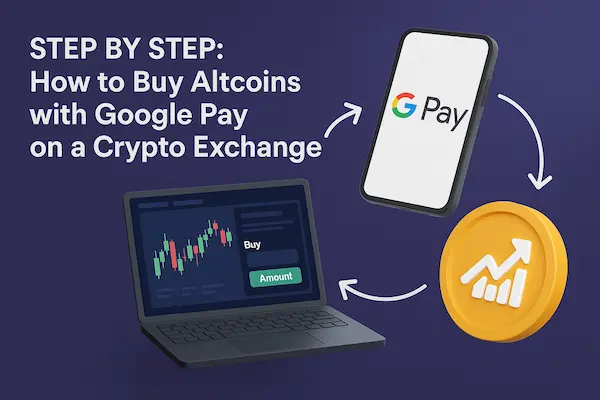
On a centralized exchange the flow is simple if you follow a few clear steps. Think of this as a checklist you can repeat every time you want to top up from your phone.
1. Create and verify your account on a trusted exchange
Choose a reputable exchange that lists ETH, SOL, BCH, LINK and shows Google Pay as a funding option. Sign up, set a strong password and complete KYC so card and wallet payments are unlocked. Without verification you often will not be able to Buy Altcoins with Google Pay or your limits will be tiny.
2. Set up Google Pay and align billing details
On your phone, open Google Pay, confirm you are on the right Google account and add at least one active card. Remove old cards and make a small test payment in a regular app. Match your name and billing address with the details on the exchange to reduce failed payments and extra checks.
3. Choose your altcoin – ETH, SOL, BCH, LINK or another asset
Pick the coin that fits your plan. For example, ETH for DeFi, SOL for low fee on chain activity, BCH for payments, LINK for oracle exposure. Check which networks and withdrawal options the exchange supports so you know whether you will hold, trade or move the asset after you buy.
4. Place a small test order using your mobile wallet
Start small. Go to Buy Crypto, select your fiat currency and chosen altcoin, enter a modest amount and choose Google Pay at checkout. Confirm the payment on your phone, then check both your card statement and your exchange balance to be sure the charge and the new coins match the quote.
5. Troubleshooting common errors when paying for altcoins this way
If the payment fails, check whether Google Pay funding is available in your region, whether your bank blocks crypto merchants or whether you hit a daily limit. Trying a lower amount or a different card often helps. Once one small test buy succeeds, you know the path is open and you can reuse the same steps whenever you want to Buy Altcoins with Google Pay on that exchange.
6. How to Buy Altcoins with Google Pay in Wallets and Apps
If you do not like full trading screens, you can still move from fiat into altcoins using Google’s wallet inside non custodial wallets or modern finance apps. The coins end up in a wallet or in app balance instead of a classic exchange account.
1. Buying altcoins in non custodial wallets with on ramps
Self custodial wallets plug in fiat on ramp partners to handle card and wallet payments. When a partner supports Google Pay you open the wallet, tap Buy, pick the provider, choose an altcoin and network, then pay from your phone. The provider charges your card and sends ETH, SOL, BCH, LINK or other coins straight to your address, so you effectively Buy Altcoins with Google Pay while holding your own keys.
2. Buying altcoins in fintech and neobank apps with top ups
Fintech and neobank apps give you a fiat balance and a small list of coins in one interface. You top up fiat using Google’s wallet and convert part of that balance into altcoins with a few taps. It feels like online banking with a crypto tab, but you are relying on the app to custody both your money and your coins.
3. Pros and cons compared to exchanges
Wallet plus on ramp routes favor control and on chain use later, but usually cost more and work in fewer countries. Fintech apps favor comfort and simplicity but offer fewer tokens and may add friction if you later want to withdraw coins to a real wallet. Exchanges sit in the middle with more markets and lower costs but full custody on their side until you withdraw.
Table 2 – routes to get altcoins using Google’s payment layer
| Route | Where altcoins land | Main advantage | Main trade off | Typical user profile |
|---|---|---|---|---|
| Centralized exchange buy | Exchange account | Liquidity and many trading pairs | Custodial risk and card based fees | Active users who trade or rebalance often |
| Wallet with Google Pay on ramp | Self custodial wallet address | You control keys from the first buy | Higher fees and tighter region support | Users who want on chain control and DeFi later |
| Fintech or neobank app | In app fiat or crypto balance | Simple, banking like experience | Limited tokens and fewer exit routes | Beginners who want easy exposure to a few coins |
7. Fees, Limits and Hidden Costs When You Use Google Pay for Altcoins
Paying from your phone feels easy, but every tap has a price. If you do not watch the details, topping up often can quietly become an expensive way to Buy Altcoins with Google Pay.
1. Main fees when funding altcoin buys via a mobile wallet
You usually face more than one fee at a time:
- Card or gateway fees charged by the exchange or on ramp
- A spread between market price and the instant buy quote
- FX fees when your card and trading pair use different currencies
- Extra service fees from third party providers inside wallets and apps
Always look at the final fiat amount and the final coin amount, not just the headline price on the first screen.
2. Limits on card and wallet funded altcoin purchases
Even when a payment works, limits can stop you from scaling it:
- Per trade, daily and monthly caps on the platform
- Bank or card issuer limits for crypto related merchants
- Regional rules that restrict card flows into digital assets
Run a few small tests and read the limit pages on your exchange or app so you know what is realistic before you plan bigger moves.
3. How to keep your total cost reasonable without losing convenience
Use mobile payments for what they are good at: speed and flexibility. Keep Google Pay for small or time sensitive buys, and use cheaper rails like bank transfers for larger, planned funding.
From time to time, compare the effective rate for the same sample trade on two or three platforms. Avoid unnecessary currency conversions and repeated instant buys, since those are the habits that quietly erode your altcoin stack over months, not days.
8. Security and Risk Management for Google Pay and Altcoins
Linking a mobile wallet to crypto accounts means more things to protect at the same time: your Google profile, your phone and the places where your coins live. A few habits here make a big difference.
1. Locking down your Google account, phone and wallet app
Turn on two factor authentication for your Google account, use a strong unique password and keep recovery details up to date. On your phone, use a proper screen lock, remove the wallet app from old devices and keep both the system and Google Pay updated. Never confirm login prompts or payments you did not start. If someone can unlock your phone and reach your Google profile, it becomes much easier for them to trigger fake attempts to Buy Altcoins with Google Pay.
2. Protecting your exchange logins and altcoin wallets
On exchanges and apps, enable two factor authentication, set withdrawal confirmations and avoid reusing passwords. A password manager helps keep everything unique. If you move coins into a self custodial wallet, store the seed phrase offline, never in photos or screenshots, and do not type it into random sites. Once altcoins leave an exchange for a wallet you control, a stolen seed almost always means a total loss.
3. Altcoin specific risks on top of normal payment risk
Normal card and payment risks still apply: banks can flag transactions and phishing attempts can target your credentials. Altcoins add extra volatility, smart contract risk and sometimes low liquidity, which can make exits harder during stress. For each coin you use, learn the basic behavior of its chain, typical fees and how easy it is to move in and out on your chosen platforms, then treat your first few mobile funded buys as small tests of both your setup and your process.
9. Real World Use Cases for Buying Altcoins with Google Pay
Using a mobile wallet to fund altcoins is not just a nice demo. In practice it solves a few very specific problems around speed, access and ease of use. Seeing those clearly helps you decide when this route is worth using and when it is better to fall back on slower but cheaper methods.
1. Fast exposure to new narratives and sectors
When a new narrative takes off, waiting days for a bank transfer can feel painful. Being able to Buy Altcoins with Google Pay lets you get a small position in coins linked to a sector such as DeFi, scaling, AI or gaming without leaving your phone.
You can top up a modest amount, enter a trade, then decide later whether the idea deserves more capital through cheaper funding rails. Used this way, mobile payments are a tool for speed, not for building an entire portfolio.
2. Diversifying beyond Bitcoin and stablecoins
Many users start with Bitcoin and stablecoins, then realize they want targeted exposure to assets like ETH, SOL, BCH or LINK. Mobile funded buys make it easy to add a handful of altcoins on top of an existing setup without moving large sums around.
Small, regular purchases from your phone can help you build a diversified mix over time, as long as you keep an eye on fees and do not confuse convenience with low cost. Larger allocation changes are still better suited to bank transfers and more deliberate trades.
3. On chain activity, staking, DeFi and other advanced use cases
Once altcoins reach a self custodial wallet, they unlock on chain use: staking, liquidity provision, lending, governance and more. Wallets that integrate an on ramp with Google Pay give you a direct path from fiat into coins that are ready for these activities.
This is most useful when you want to test a protocol or network with a small, live amount before committing serious funds. You can fund, move and interact quickly, then later redesign your funding mix so mobile payments handle only the early experiments while larger positions rely on cheaper, slower rails.
10. Regulation, Legal and Tax for Altcoin Purchases via Google Pay in 2026
Using cards and banks to Buy Altcoins with Google Pay means your activity sits in the middle of payment rules, crypto laws and tax rules. The flow feels simple, but banks, regulators and tax offices may all have an opinion on what you are doing.
1. How partners and card issuers view altcoin purchases through Google’s wallet
Card networks and banks often treat payments to exchanges and on ramps as higher risk than normal shopping. Some issuers allow reasonable volumes to regulated platforms, others decline most transactions that look like crypto. If a payment keeps failing, check your card terms and any messages from your bank, not just the status page of the exchange.
2. Regulatory focus on altcoins and fiat to crypto on ramps
Fiat to crypto on ramps are closely watched because they connect bank money to digital assets. Platforms that accept card and wallet funding usually need solid KYC, monitoring and reporting. Altcoins can also be classified in different ways across countries, so choose services that clearly explain their licenses and compliance rather than leaving you to guess.
3. Basic tax points when you fund altcoin buys from a mobile wallet
Buying coins with fiat is often not the taxable event, but selling them, swapping them or spending them may create gains or losses. Your cost basis still comes from the fiat amount you used, even if the money came through a mobile wallet instead of a wire. Keep clean records from exchanges and card statements, and if you plan to be active, get a quick opinion from a local tax professional rather than relying on guesswork.
FAQs: Buying Altcoins with Google Pay
1. Can I use Google Pay to buy ETH, SOL, BCH and LINK?
Yes, if your exchange or app supports Google Pay for those coins in the Buy Crypto or Deposit section.
2. Do all exchanges support this method for altcoins?
No. Only some platforms let you Buy Altcoins with Google Pay, and support depends on country and card issuer.
3. Is it safe to buy altcoins this way?
It can be safe if you lock your phone, secure your Google account and use exchanges with 2FA and a good reputation.
4. Why is Google Pay not showing as a payment option?
Most often because of region limits, incomplete KYC, an unsupported card or a bank that blocks crypto payments.
5. How do fees compare with a bank transfer?
Using Google Pay is usually faster but more expensive, while bank transfers are slower but often cheaper for larger amounts.
6. Are there limits on how much I can buy this way?
Yes. Exchanges, on ramps and banks all set per trade, daily and monthly limits for card and wallet funding.
7. Can I move coins to a self custody wallet after buying?
In most cases yes. You withdraw from the exchange or app to your own wallet address, paying normal network and withdrawal fees.
8. Can I cancel a purchase if the price moves against me?
No. Once the order is filled, you must sell the altcoins back if you want to exit, and any price change is your risk.
Conclusion and Next Steps – From Buying Altcoins with Google Pay to a Real Strategy
Using your phone to reach altcoins is no longer a trick. In 2026 it is a real on ramp that can be useful if you know when to use it and when to switch to cheaper rails.
When using Google’s wallet for altcoins makes sense
Mobile funding is strongest when you want speed and small tickets, not when you move serious size. It works best when you:
- Open small test positions in new sectors or coins
- Top up trading or DeFi balances quickly
- Add a bit of ETH, SOL, BCH or LINK on top of Bitcoin and stablecoins
For bigger reallocations and long term treasury moves, slower and cheaper rails such as bank transfers should still carry most of the volume. The goal is to treat your phone as one tool in the box, not the only one.
Quick summary for different user profiles
| User type | How to use Google Pay with altcoins | Main benefit | Key risk to watch | Suggested next step |
|---|---|---|---|---|
| Curious beginner | Small test buys of major altcoins on a trusted exchange | Easy first exposure from your phone | High fees on very tiny trades | Learn basic withdrawals to a simple self custody wallet |
| Active trader | Fast top ups of altcoin balances on a core exchange | Speed when markets move quickly | Card and wallet limits hitting volume | Add cheaper bank rails for larger planned deposits |
| Long term holder | Occasional mobile buys into a self custodial wallet | Direct control of assets on chain | Treating mobile funding as the default | Define a routine for cold storage and periodic rebalancing |
| DeFi or Web3 user | Small live deposits into wallets to test new protocols | Quick way to experiment with real funds | Smart contract and chain specific risk | Standardize networks, tools and position sizes |
| Business or builder | Limited use for pilots and product tests | Fast validation with real customers | Fragmented accounts and weak controls | Move to a structured payment and treasury setup |
From personal altcoin buys to a structured stack with XaiGate
For individuals, knowing how to Buy Altcoins with Google Pay is usually enough. You can fund a platform from your phone, understand the fees and limits, and then decide when it is worth switching to cheaper methods for larger moves. Over time your main challenge is discipline, not plumbing.
For businesses and builders, manual top ups from personal phones are a dead end. They do not scale, they are hard to audit and they leave gaps around compliance and treasury control. To turn mobile funded flows in ETH, SOL, BCH, LINK and stablecoins into something you can rely on, you need a proper gateway that treats cards, Google Pay, wallets and on chain settlement as one system.
That is where XaiGate USDT Payment Gateway comes in. Instead of stitching together random exchange accounts, you can:
- Accept funding from cards and Google Pay in a controlled way
- Route value into the mix of altcoins and stablecoins that fits your risk profile
- Embed monitoring, reporting and settlement into your existing stack
If you are a retail user, your next step is a small, planned test using the checklist in this guide. If you are a team or business, your next step is to stop relying on ad hoc personal flows and start designing a real payment and treasury setup with a gateway like XaiGate at the center.
For daily updates, subscribe to XAIGATE’s blog!
We may also be found on GitHub, and X (@mxaigate)!