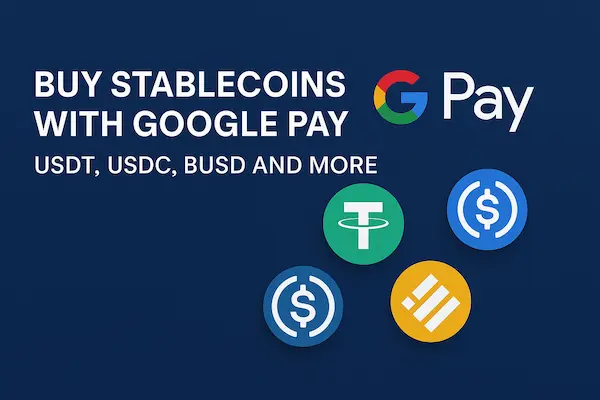
If you want to buy stablecoins with Google Pay in just a few taps, you are not alone. A lot of users now look for a quick way to get USDT, USDC, BUSD and other tokens straight from their phone without typing card numbers. The good news is that you can use Google Pay on several exchanges, wallets and apps, but Google Pay is only the funding rail, not a stablecoin wallet. To use it safely and efficiently, you need to understand how this route works, what it really costs and when it makes sense to choose it over a bank transfer or another option.
Contents
- 1 1. Can You Really Buy Stablecoins with Google Pay in 2026
- 2 2. What It Really Means to Buy Stablecoins with Google Pay
- 3 3. Requirements Before You Buy Stablecoins with Google Pay
- 4 4. Best Platforms to Buy Stablecoins with Google Pay in 2026
- 5 5. Step by Step: How to Buy Stablecoins with Google Pay on an Exchange
- 6 6. How to Buy Stablecoins with Google Pay in Wallets and Apps
- 7 7. Fees, Limits and Hidden Costs
- 8 8. Security and Risk When You Use Google Pay for Stablecoins
- 9 9. Real World Use Cases for Buying Stablecoins with Google Pay
- 10 10. Regulation, Legal and Tax in 2026
- 11 FAQs – Buying Stablecoins with Google Pay
- 12 Conclusion
1. Can You Really Buy Stablecoins with Google Pay in 2026
Using Google’s payment wallet to get exposure to dollar pegged tokens is possible today, but it does not work in every country or on every platform. This section gives you a quick high level view of where this option is available in 2026, which services support it and in what situations it actually makes sense to use it.
1. Short answer: yes, but Google Pay is only a funding method
Yes, you can buy stablecoins with Google Pay on selected exchanges, wallets and fintech apps in 2026. In every case Google Pay is just the payment method that charges your linked card or bank account while the stablecoins sit on a crypto platform.
You do not hold USDT, USDC or BUSD inside the Google Pay app. You only use Google Pay to pay a service that delivers the tokens into an exchange balance or a wallet address.
2. The platforms that let you buy stablecoins with Google Pay
Most people end up buying stablecoins with Google Pay through one of three types of services:
- Centralized exchanges that list Google Pay on the Buy Crypto screen
- Non custodial wallets that use fiat on ramp partners with Google Pay support
- Fintech or neobank apps that let you top up fiat with Google Pay and then convert to stablecoins
Each category has different fees, limits and levels of control.
3. When buying stablecoins with Google Pay makes sense
Using Google Pay to buy stablecoins makes sense when you want:
- A fast way to test stablecoins with a small amount
- A simple top up route when a market move is time sensitive
- A familiar checkout experience instead of manual bank details
It is less attractive for large or very frequent funding, where card based fees and limits add up.
2. What It Really Means to Buy Stablecoins with Google Pay
Before you start topping up USDT or USDC from your phone, it helps to be clear about what Google’s wallet really does in this flow. In this part we separate the traditional payments layer from the crypto layer so you can see exactly how fiat leaves your bank account and turns into digital dollars on an exchange or in a wallet.
1. What does it mean to buy stablecoins with Google Pay
To buy stablecoins with Google Pay means using your Google Pay wallet as the payment option when you purchase USDT, USDC, BUSD or other tokens on a crypto platform. The app passes a card or bank charge to the payment processor and the platform converts your fiat into stablecoins.
In practice you open an exchange or app, pick a stablecoin, pick a fiat currency, select Google Pay at checkout and confirm on your phone. After the payment clears, the platform credits you with the chosen stablecoin.
2. Google Pay is not a stablecoin wallet
Google Pay is a secure front end for cards and bank accounts. It is built for contactless payments, in app purchases and online checkout. It follows card network rules and can support refunds and sometimes chargebacks.
A crypto exchange account or a self custodial wallet is where the digital assets live. Once you buy stablecoins with Google Pay, your USDT or USDC exist inside that crypto system, not inside Google Pay. A dispute on the card side does not magically reverse on chain transfers and losing a wallet seed phrase is very different from losing access to the Google Pay app.
3. How the money flows from Google Pay into stablecoins
Behind the scenes the flow is simple:
- Your card or bank account is linked to Google Pay
- You buy stablecoins with Google Pay on an exchange or through an on ramp
- Google Pay triggers a card or bank transaction
- The payment processor settles funds with the crypto platform
- The platform credits your account or wallet with the stablecoin you selected
At no point does Google Pay itself store USDT, USDC or BUSD. It only moves fiat.
3. Requirements Before You Buy Stablecoins with Google Pay
Not every account setup is ready for a smooth purchase on day one. Here we walk through the practical checklist you should complete on both the Google side and the crypto platform side so that your first attempt to acquire stablecoins through the wallet on your phone actually goes through instead of failing with confusing error messages.
1. Setting up Google Pay correctly
Before you try to buy stablecoins with Google Pay, make sure:
- Your Google account is active and secure
- At least one debit or credit card is added and working
- Billing name and address match what you will use on the crypto platform
It helps to make a small test payment in another app first. If that fails, fix the card or bank issue before you move on.
2. Country and region support
Support is not uniform. You may be able to pay for normal purchases with Google Pay while card payments to crypto platforms are blocked or screened.
Check three things:
- Whether Google Pay fully works in your country
- Whether your bank or card issuer allows payments to crypto merchants
- Whether the exchange or app lists Google Pay as available for your region
If any answer is no, you may never see the option to buy stablecoins with Google Pay on that service.
3. KYC and verification on exchanges and apps
Card and wallet payments are usually locked behind identity checks. If your account is stuck at a basic level, Google Pay may not appear or may have very low limits.
Expect to:
- Verify email and phone
- Upload an ID document and possibly a selfie
- Provide proof of address for higher limits
Without these steps, your plans to buy stablecoins with Google Pay will not go very far.
4. Basic security checklist
Because you are connecting a payment app to a crypto platform, treat security as part of the setup:
- Enable two factor authentication on your Google account
- Lock your phone with PIN or biometrics
- Turn on two factor authentication on the exchange or wallet
- Avoid shared devices and insecure WiFi when funding accounts
Once this checklist is done, you are ready for a safe first test.
4. Best Platforms to Buy Stablecoins with Google Pay in 2026
There is no single app that fits everyone who wants to load up on digital dollars using Google’s payment tool. This section compares the main kinds of platforms that support this flow in 2026, from trading venues to self custody tools and banking style apps, so you can see which category matches your needs before you even create an account.
1. Centralized exchanges
Centralized exchanges are still the most common place to buy stablecoins with Google Pay. You sign up, pass KYC, go to Buy Crypto, choose your fiat and stablecoin, select Google Pay and confirm on your phone. You get deep liquidity, many trading pairs and familiar tools.
2. Wallets with Google Pay on ramps
Non custodial wallets use third party on ramps to accept cards and wallets. When those on ramps support Google Pay you can buy stablecoins with Google Pay and receive them directly at your own wallet address. You keep the keys but usually pay higher fees.
3. Fintech and neobank apps
Some fintech apps blend a simple fiat balance with a small set of crypto assets. You top up fiat with Google Pay, then convert to USDT, USDC or another supported stablecoin. This feels like online banking and is friendly for beginners, though token choice is limited.
Table 1: platform types for buying stablecoins with Google Pay
| Platform type | How Google Pay is used | Main stablecoins supported | Typical total fees | Limits and region coverage | Best for |
|---|---|---|---|---|---|
| Centralized exchange | Direct Buy Crypto or Instant Buy checkout | USDT, USDC, BUSD, sometimes others | Medium card and service fees | Depends on exchange license and your country | Traders and active users |
| Wallet plus on ramp | Embedded partner checkout inside the wallet | Often USDT and USDC on major chains | Higher than big exchanges | Often more restricted by country and card | Self custodial users |
| Fintech or neobank app | Top up fiat balance, then convert to stablecoins | Limited set like USDT or USDC | Varies, sometimes wide spreads | Usually limited to core app markets | Beginners who want a banking style experience |
5. Step by Step: How to Buy Stablecoins with Google Pay on an Exchange
Once you know which trading venue you trust, the next question is what to tap and in what order. In this part we turn the whole process into a simple sequence, starting from account creation and identity checks and ending with a small, low risk trial purchase of a dollar linked token funded through your mobile wallet.
1. Create and verify your account
Pick a reputable exchange that supports both your desired stablecoins and Google Pay. Then:
- Register with your email and set a strong password
- Verify email and phone
- Complete KYC so card and wallet funding is enabled
Without this, the option to buy stablecoins with Google Pay may be hidden.
2. Prepare Google Pay
On your phone:
- Open Google Pay and check you are signed in
- Add at least one active card
- Run a small test payment in another app
Try to match the name and billing address on the card with your exchange profile to reduce friction.
3. Choose your stablecoin
Decide whether you want USDT, USDC, BUSD or another supported stablecoin. Look at:
- Liquidity on the pairs you plan to trade
- Where you will withdraw or use the token later
- Any regulatory or issuer news around that stablecoin
This way you do not just buy stablecoins with Google Pay because they are listed, you choose them because they match your use case.
4. Place a small test order
Now run your first live test:
- Go to Buy Crypto or Instant Buy
- Select your fiat, your stablecoin and a small amount
- Choose Google Pay as the payment method
- Confirm on your phone
Wait for the success message and check both your card statement and your stablecoin balance.
5. Fix common problems
If the transaction fails or Google Pay does not show:
- Confirm Google Pay is allowed in your region for that exchange
- Check if your bank or card issuer is blocking crypto transactions
- Make sure your KYC level is high enough
- Try a smaller amount or a different card
Once one small test succeeds you know that you can reliably buy stablecoins with Google Pay on that exchange.
6. How to Buy Stablecoins with Google Pay in Wallets and Apps
Not everyone is comfortable leaving funds on a classic trading interface. Many people prefer self custody tools or modern finance apps that feel closer to everyday banking. This section focuses on those alternatives and shows how Google’s wallet fits into their flows when you want to move from local currency into on chain dollar equivalents.
1. Non custodial wallets with Google Pay on ramps
In a self custodial wallet you keep your own keys. To buy stablecoins with Google Pay you typically:
- Open the wallet and tap Buy
- Select an on ramp partner
- Choose stablecoin, network and amount
- Pay through Google Pay
The provider charges your card and sends stablecoins to your wallet address. This route gives you control of the tokens from day one.
2. Fintech and neobank apps
In a fintech or neobank app you:
- Use Google Pay to top up a fiat balance
- Convert part of that balance into USDT, USDC or similar tokens
- Optionally convert back to fiat inside the same app
You buy stablecoins with Google Pay in a familiar interface, but you rely on the app to hold both fiat and tokens for you.
3. Pros and cons versus exchanges
Compared with exchanges, wallets and fintech apps trade some flexibility for simplicity or self custody:
- Wallet plus on ramp: more control, often more fees
- Fintech app: smoother onboarding, fewer coins and less advanced tools
The best choice depends on how often you plan to buy stablecoins with Google Pay and what you will do with the tokens afterward.
Table 2: comparing routes to buy stablecoins with Google Pay
| Route | Where the stablecoin lands | Main advantage | Main trade off | Best use case |
|---|---|---|---|---|
| Centralized exchange buy | Exchange account | Deep liquidity, many pairs | Higher card fees | Active trading and rebalancing |
| Wallet with Google Pay on ramp | Self custodial wallet address | You hold keys from the start | Higher cost and more moving parts | Long term holding and DeFi |
| Fintech or neobank app | In app balance | Bank like UX, easy for beginners | Limited tokens and features | First exposure to stablecoins |
7. Fees, Limits and Hidden Costs
On the surface the experience looks clean and instant, but every convenient payment method hides a few details in the fine print. Here we unpack the real costs and hard limits that sit behind a stablecoin purchase funded through Google’s wallet, so you can decide when the convenience is worth it and when another route is smarter.
1. Main fee types
When you buy stablecoins with Google Pay you can face several layers of cost at once:
- Card or gateway fee for each purchase
- A spread between market price and instant buy price
- FX fees if your card and trading pair use different currencies
- On ramp service fees when you buy inside a wallet
Always look at the final effective rate in fiat, not just the headline price.
2. Limits on Google Pay funded buys
Even when a payment goes through, you are still bound by:
- Per transaction and daily limits on the exchange or on ramp
- Limits from your bank or card issuer for crypto merchants
- Regional rules that cap card volume for virtual assets
If you plan to buy stablecoins with Google Pay frequently, test limits early with small amounts and adjust your strategy if you keep hitting walls.
3. Keeping costs under control
A simple way to keep costs reasonable is:
- Use Google Pay for small or time sensitive buys
- Use bank transfers or local rails for larger planned funding
- Compare a sample trade across two or three platforms before choosing where you mainly buy stablecoins with Google Pay
- Avoid multiple currency hops that add FX fees on top of exchange spreads
8. Security and Risk When You Use Google Pay for Stablecoins
Linking a consumer payment app to any crypto platform creates a longer chain of trust that attackers can try to break. In this section we look at both ends of that chain, from your Google profile and phone to the accounts that hold your tokens, and outline the practical steps that reduce the chance of an expensive mistake.
1. Secure your Google account and phone
Because every payment flows through your Google account and your phone:
- Turn on two factor authentication for your Google account
- Lock your phone and remove Google Pay from old devices
- Keep your operating system and Google Pay app updated
If someone can open Google Pay on your phone, it becomes much easier for them to try to buy stablecoins with Google Pay on accounts you use.
2. Protect your exchange and wallets
After you buy, the real risk sits where the tokens live:
- Enable two factor authentication on exchanges and apps
- Use strong passwords and a password manager
- Store wallet seed phrases offline, never in screenshots or cloud storage
Card fraud can hurt, but a drained wallet after you buy stablecoins with Google Pay is usually much worse.
3. Understand payment and stablecoin risk
Card payments have fraud and chargeback rules. Stablecoins have issuer, reserve and depeg risk. When you mix them you need to accept that:
- Some transactions may be held or reviewed
- Not all stablecoins are equal in terms of governance and backing
- DeFi usage on top of stablecoins adds smart contract risk as well
Choosing conservative platforms and major stablecoins does not remove risk, but it reduces unpleasant surprises.
9. Real World Use Cases for Buying Stablecoins with Google Pay
Getting dollar denominated tokens through your phone is only useful if they actually help you solve real problems. This part highlights concrete scenarios where people already rely on this combination of tools, from trading and hedging to cross border flows and basic on chain cash management, so you can see where it might fit into your own routine.
1. Trading and hedging
For traders and active investors, the main reason to buy stablecoins with Google Pay is speed. You can add USDT or USDC quickly when you want a neutral base asset or when you move out of volatile positions without leaving the exchange.
2. Cross border transfers
Stablecoins can bridge borders when banking is slow or expensive. A common pattern is:
- Use Google Pay to buy stablecoins in your local currency
- Send them on chain to a contact in another country
- Let that person convert to local fiat or keep them as stablecoins
This can be useful, but both sides need to check local rules and withdrawal options, not just the entry step.
3. DeFi and everyday balances
Once you buy stablecoins with Google Pay, you can move them into DeFi to earn yield, provide liquidity or simply hold them as a less volatile on chain balance. The funding step is only the start. As positions grow, good record keeping and risk management become more important than the choice of payment method.
10. Regulation, Legal and Tax in 2026
Because this flow touches banks, payment networks and digital assets at the same time, rules and expectations around it are still evolving. In this section we zoom out and look at how institutions, regulators and tax authorities may view this kind of activity in 2026, and what that means for someone who uses a mobile wallet to access crypto.
1. Google Pay and card issuer policies
Card networks, banks and regional partners can restrict how Google Pay is used for crypto. Even if a platform offers the option to buy stablecoins with Google Pay, your bank can still decline or question those payments.
Watch for:
- Messages or calls from your bank after your first transactions
- Language in your card terms about virtual assets
- Repeated declines that suggest a policy block rather than a technical error
2. Stablecoins, on ramps and compliance
On ramps that let you buy stablecoins with Google Pay are usually subject to strict KYC and AML rules. That is why they collect identity data and sometimes ask extra questions about your activity.
From your side this means:
- Expect some friction at the fiat to stablecoin edge
- Prefer platforms that explain their licensing and compliance status
- Assume that card funded purchases are visible at more than one institution
3. Tax basics
Tax rules differ by country, but:
- Buying stablecoins with fiat may not trigger tax in many places
- Selling, swapping or spending those stablecoins can create taxable events
- Clear records from exchanges and card statements make life easier later
If you plan to buy stablecoins with Google Pay on a regular basis, asking a local tax adviser once is cheaper than guessing.
FAQs – Buying Stablecoins with Google Pay
1. Can I buy stablecoins with Google Pay on any exchange
No. You can only buy stablecoins with Google Pay on platforms that list Google Pay as a payment method for Buy Crypto or Deposit.
2. Which stablecoins can I buy with Google Pay
Most platforms that support Google Pay offer major stablecoins such as USDT and USDC, and sometimes BUSD or others.
3. Is it safe to buy stablecoins with Google Pay
It can be safe if you secure your Google account and phone, turn on two factor authentication on exchanges and only use reputable platforms.
4. Why do I not see Google Pay as a payment option
Common reasons include region restrictions, incomplete KYC, unsupported cards or a bank that blocks crypto payments.
5. Are there extra fees when I buy stablecoins with Google Pay
Yes. You may pay card fees, spreads, FX charges and on ramp service fees, so always check the final amount before confirming.
6. Is it better to use Google Pay or a bank transfer
Google Pay is faster and easier for small buys, while bank transfers are usually slower but cheaper for larger amounts.
7. How much stablecoin can I buy with Google Pay
Your limit depends on the exchange or app, your verification level, your bank and any local caps on card funded crypto purchases.
8. Can I sell stablecoins and withdraw back via Google Pay
You typically sell stablecoins for fiat on the platform and then withdraw to a bank account or card. Google Pay is not a stablecoin wallet or a direct withdrawal target.
Conclusion
By this point you should have a clear picture of where this funding method fits, what it costs and how it compares with other ways of getting exposure to digital dollars. The final section ties everything together into a simple decision view for individuals and for businesses, and shows how a more structured setup can grow out of a few small test transactions.
When buying stablecoins with Google Pay is useful
If you use it with care, deciding to buy stablecoins with Google Pay is a sensible way to add a convenient, mobile friendly on ramp. It works best for first tests, occasional top ups and smaller DCA style purchases where speed matters more than squeezing every cent of fees.
As your volumes grow, it often makes sense to combine Google Pay with cheaper funding routes instead of relying on it for everything.
Quick ummary for different user types
| User type | How to use Google Pay with stablecoins | Main benefit | Suggested next step |
|---|---|---|---|
| Retail beginner | Small buys of USDT or USDC on a major exchange | Simple entry point to stablecoins | Learn how to move tokens into a safe wallet |
| Active trader | Fast top ups into exchange stablecoin balances | Speed and flexibility for trading | Add bank transfer as a lower cost funding rail |
| Long term holder | Occasional buys into a self custodial wallet | Direct control of stablecoin holdings | Explore DeFi and risk management |
| Business or merchant | Limited initial use for treasury or tests | Quick exposure to stablecoin payments | Design a structured crypto payment stack |
From personal buys to a stablecoin payment strategy with XaiGate
For individual users, understanding how to buy stablecoins with Google Pay is usually enough to start. You can fund an exchange or wallet, learn how stablecoins behave and refine your approach over time.
If you are a business, merchant or platform builder, buying stablecoins manually on one exchange is not a scalable plan. You need a proper gateway that connects cards, wallets like Google Pay and on chain settlement into one controlled system.
That is where a specialist solution like XaiGate helps. Instead of juggling separate accounts and ad hoc flows, XaiGate lets you design and run stablecoin payment routes that:
- Accept funding from Google Pay and other methods
- Settle into stablecoins that fit your treasury and risk profile
- Work within the regulatory expectations of your market
Once you know how to buy stablecoins with Google Pay for yourself, the natural next step for serious teams is to turn that knowledge into a stablecoin payment stack built on purpose rather than on habit, and XaiGate is built to support exactly that move.
For daily updates, subscribe to XAIGATE’s blog!
We may also be found on GitHub, and X (@mxaigate)!