Cryptocurrency payments are increasingly being integrated into websites, e-commerce platforms, and online services. However, a complicated checkout process, unclear payment information, or errors during transaction confirmation can cause customers to abandon their payments before completion. Applying crypto checkout best practices helps businesses simplify the payment process, reduce mistakes such as entering the wrong wallet address or selecting the wrong blockchain network, and improve overall transaction success rates. In this article, XAIGATE will highlight the key principles for creating a crypto checkout experience that is faster, clearer, and more convenient for users.
How Do Crypto Checkout Best Practices Help Reduce Errors?
Crypto payments require users to check details such as the cryptocurrency, blockchain network, wallet address, and payment amount. A small mistake can delay the transaction or prevent the payment from being recognized.
Following crypto checkout best practices helps simplify these steps and reduce common payment errors.
Clearly Display the Cryptocurrency and Network
Some cryptocurrencies are available on multiple blockchain networks. This can easily confuse users during checkout.
The payment page should clearly show:
- Cryptocurrency or token.
- Required blockchain network.
- Exact payment amount.
- Payment status.
- Network warnings when necessary.
Clear information helps customers avoid sending the wrong asset or using an incompatible network.
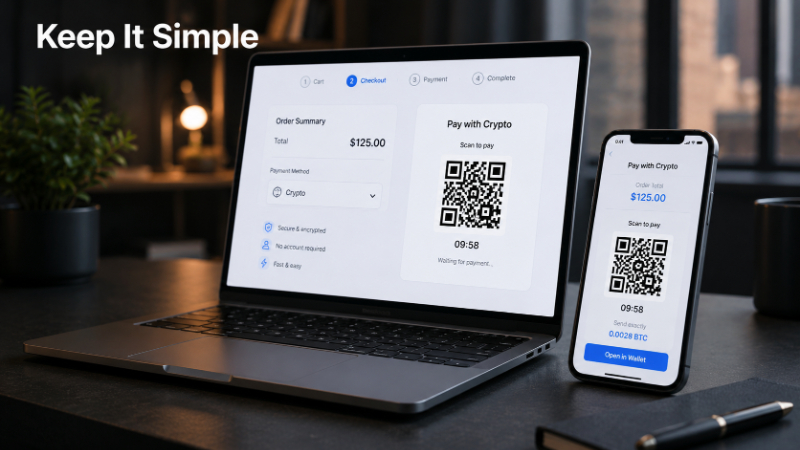
Use QR Codes to Simplify Payments
Wallet addresses are long and difficult to enter manually. QR codes can make the process faster and reduce input errors.
Customers only need to:
- Open their crypto wallet.
- Scan the QR code.
- Review the payment details.
- Confirm the transaction.
With XAIGATE, businesses can generate payment requests with a payment URL and QR code. Users should still verify the address, network, and amount before sending funds.
Display the Exact Payment Amount
Customers should not have to calculate the cryptocurrency amount themselves. The checkout page should provide all important payment details.
These include:
- Order value.
- Crypto amount.
- Cryptocurrency.
- Blockchain network.
- Payment status.
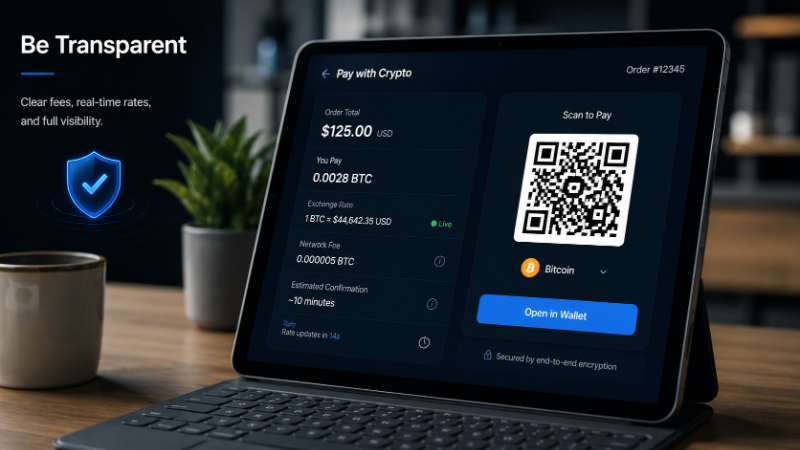
For example, a $100 order should display the corresponding BTC or USDT amount and the required network.
This reduces calculation errors and helps prevent underpayments or overpayments.
Set an Expiration Time for Payment Requests
Crypto prices can change while a customer is completing checkout. Payment requests should therefore have a defined validity period.
The checkout can include:
- A countdown timer.
- An expiration notice.
- Automatic payment request renewal.
For example: Payment expires in: 14:59
Once it expires, the system can generate a new payment request using updated information.
Verify Payment Before Confirming the Order
A website should not mark an order as paid simply because the customer reaches the success page. The actual blockchain transaction must be verified.
A typical process includes:
- Customer sends the payment.
- Transaction is detected.
- Status changes to pending or confirming.
- Required confirmations are reached.
- Order status changes to paid.
With XAIGATE, websites can use webhooks to receive transaction status updates. This helps ensure that an order is confirmed only after the crypto payment has been properly verified.
How to Increase Crypto Checkout Payment Success Rates
Reducing technical errors is only part of checkout optimization. An effective crypto checkout should also help customers understand the payment details, complete the transaction quickly, and avoid unnecessary hesitation.
Reduce the Number of Checkout Steps
The longer the checkout process, the more likely customers are to abandon it. Businesses should therefore keep only essential steps and display important payment information as early as possible.
A simple checkout flow can include:
- Review the order.
- Select a cryptocurrency.
- Choose the blockchain network.
- Scan the QR code or copy the payment address.
- Confirm the payment.
Customers should immediately understand three key details: how much to pay, which cryptocurrency to use, and which network to send it through.
Any unnecessary fields or screens should be removed to keep the payment process simple.
Support Relevant Payment Options
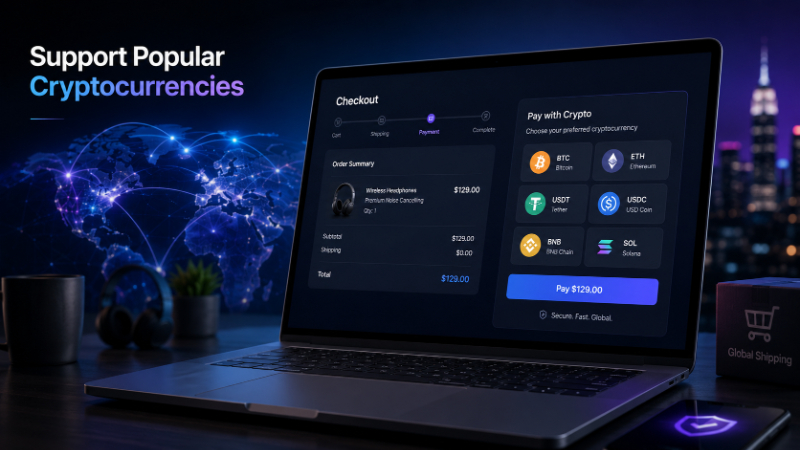
Not every customer holds the same cryptocurrency. Supporting several suitable payment options can make checkout more accessible and reduce the need for customers to exchange assets before paying.
A website can prioritize:
- Cryptocurrencies commonly used by its target customers.
- Popular stablecoins used for payments.
- Blockchain networks with suitable fees and transaction speeds.
- Less common options placed in an expandable list.
XAIGATE supports integration with multiple cryptocurrencies and blockchain networks, including Ethereum, BNB Smart Chain, Tron, and Solana.
However, offering more options does not mean displaying dozens of coins on the same screen. Frequently used assets and networks should appear first to make the decision easier.
See more: How to Create a Crypto Payment Link for Online Crypto Payments
Show Fees Before Payment
Network fees can directly affect a customer’s payment decision, especially for low-value orders. If additional costs only appear at the final step, users may abandon the transaction.
The checkout page should clearly show:
- Fees paid by the customer.
- Fees covered by the merchant.
- Networks that may have higher transaction costs.
- The total amount the customer needs to send.
XAIGATE allows merchants to configure accepted cryptocurrencies and manage settings related to network fees during integration.
Showing costs clearly before payment helps customers choose a suitable option and reduces checkout abandonment at the final stage.

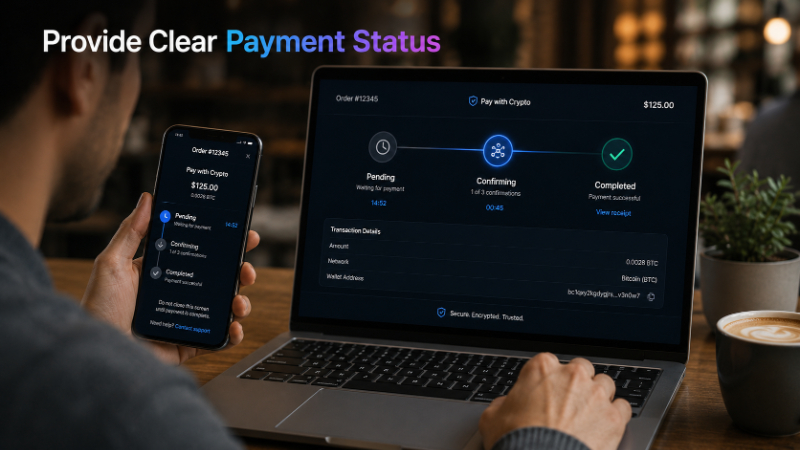
Display Clear Transaction Status Updates
After sending crypto, customers usually want to know whether the payment has been detected and how long they need to wait for confirmation.
The checkout can display clear stages such as:
- Waiting for Payment – The system is waiting for the transaction.
- Payment Detected – The payment has been detected on-chain.
- Confirming – The transaction is waiting for blockchain confirmations.
- Paid – The payment has been completed.
Avoid showing only a loading screen without explaining what is happening.
XAIGATE supports on-chain payment detection and confirmation tracking before updating the transaction status. This is especially useful because confirmation times can vary between blockchain networks.
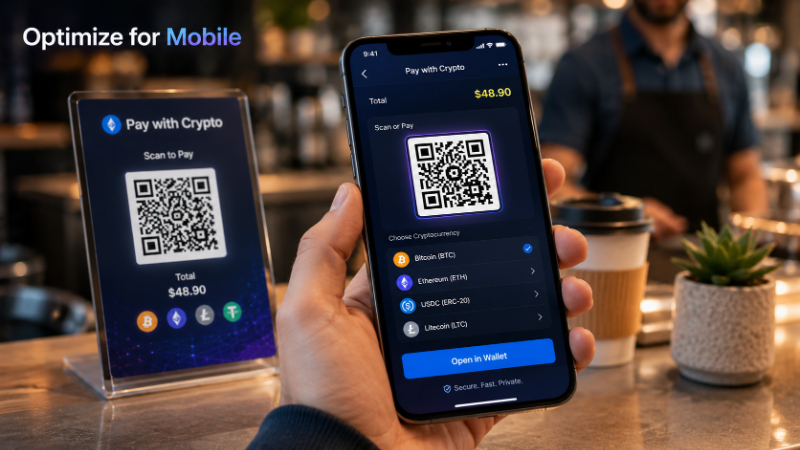
Optimize Crypto Checkout for Mobile Devices
Many users keep their crypto wallets directly on their smartphones. Mobile checkout should therefore be treated as a core part of the payment experience rather than simply a smaller version of the desktop page.
Important information should remain clearly visible on smaller screens, including:
- Payment amount.
- Cryptocurrency.
- Blockchain network.
- QR code.
- Wallet address.
- Copy Address button.
- Copy Amount button.
- Transaction status.
When customers use both the checkout page and their crypto wallet on the same phone, options such as Copy Address, Copy Amount, or opening a compatible wallet directly may be more convenient than scanning a QR code.
Provide Clear Guidance When Payment Issues Occur
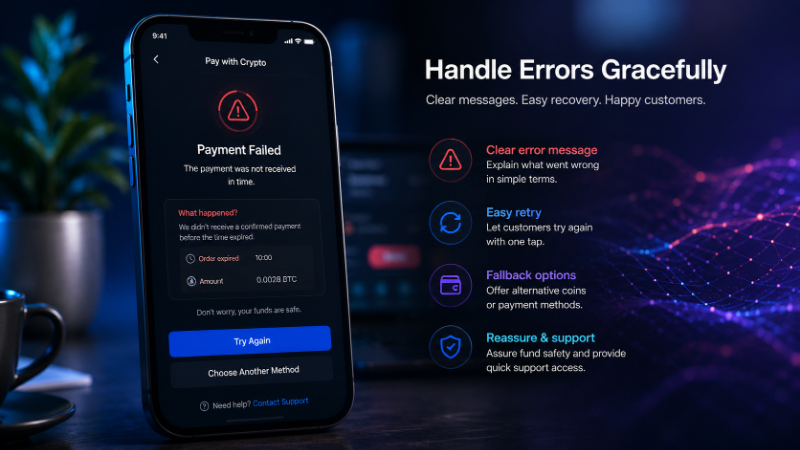
A good crypto checkout should not only handle successful transactions. It should also help customers understand what to do when something goes wrong.
The website should provide guidance for situations such as:
- The customer sends less than the required amount.
- The customer sends more than the required amount.
- The transaction has not received enough confirmations.
- The payment request has expired.
- The payment status has not been updated.
- The customer uses the wrong blockchain network.
When a blockchain transaction needs to be checked, the TXID or transaction hash is an important reference for identifying and verifying the transaction.
Clear error messages should explain both the problem and the next step. This can reduce customer confusion, prevent checkout abandonment, and lower the number of support requests related to payment status.
Crypto Checkout Optimization Checklist for Websites
Before launching a crypto payment system, businesses should review the entire checkout process carefully. The following checklist covers key areas such as interface design, user experience, transaction handling, security, and testing.
Checkout Interface
Payment information should be clear and easy to verify before customers send their crypto.
- Clearly display the selected cryptocurrency.
- Specify the blockchain network.
- Make the exact crypto amount easy to see.
- Provide a QR code.
- Include a Copy Address button.
- Include a Copy Amount button when needed.
- Show the payment request expiration time.
- Make sure the checkout works well on mobile devices.
The goal is to help customers immediately identify the cryptocurrency, network, amount, and payment address without searching across multiple screens.
See more: What Is Crypto Payment Settlement? How to Optimize the Digital Payment Settlement Process
User Experience
The checkout process should remain simple and reduce unnecessary confusion during payment.
- Avoid requiring too many steps.
- Limit complex blockchain terminology when it is not necessary.
- Display warnings when users could easily select the wrong network.
- Show transaction status after the customer sends funds.
- Provide instructions when the payment request expires.
- Offer clear support information when a transaction encounters an issue.
Clear instructions help customers understand what is happening and reduce the risk of checkout abandonment.
Transaction Handling
A website should not rely on the success page alone to determine whether a payment has been completed.
Businesses should check that:
- Transaction status is verified through the payment gateway.
- Webhooks are handled correctly.
- Pending and Paid are treated as separate statuses.
- There are clear rules for underpayments.
- There are clear rules for overpayments.
- Orders are completed only after the required confirmation conditions are met.
- Payments are not marked as successful based only on user-side actions.
Verification through the payment gateway or blockchain helps prevent incorrect order status updates.
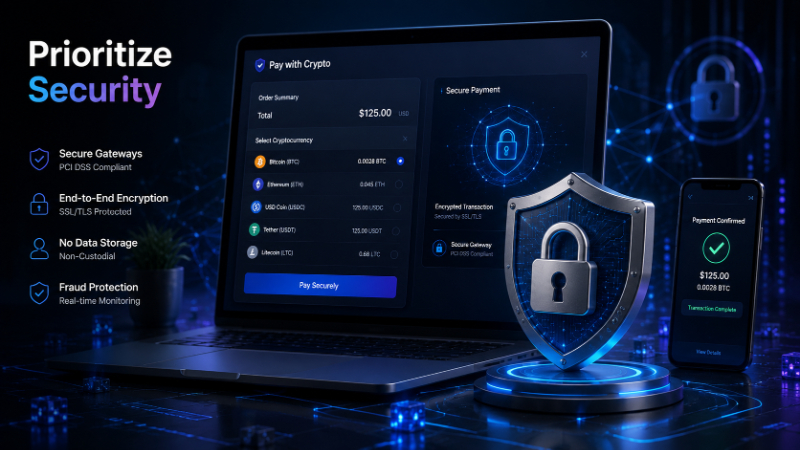
Security
Sensitive payment information should be stored and processed on the server side. API secrets should never be exposed in client-side code.
XAIGATE also recommends storing secret API keys securely on the server, such as through environment variables, and using HTTPS for websites or applications.
Businesses should also:
- Set appropriate permissions for administrator accounts.
- Protect API keys and API secrets.
- Verify webhooks before updating order status.
- Monitor unusual or suspicious transactions.
- Carefully check payout addresses before withdrawing funds.
- Restrict access to payment configuration settings.
Because crypto transactions are generally irreversible, verifying the wallet address, network, and transaction details before sending funds is especially important.
Test Before Going Live
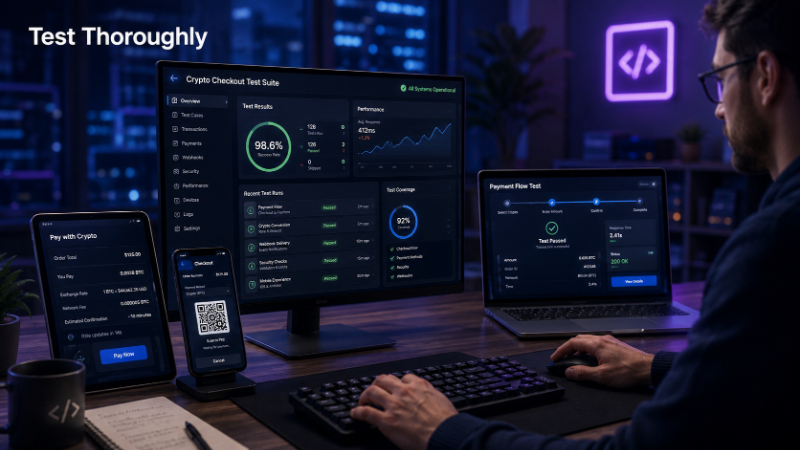
Testing should never be skipped before making crypto checkout available to real customers.
Businesses should test different scenarios, including:
- Correct payment amount.
- Underpayment.
- Overpayment.
- Expired payment request.
- Insufficient blockchain confirmations.
- Webhook failure.
- User leaving the checkout page.
- User returning to checkout after sending payment.
XAIGATE supports integration through APIs or plugins and provides guidance for testing the payment flow before processing real transactions.
A system that works well under ideal conditions may still fail when customers make mistakes. For this reason, error cases and unusual payment scenarios should be tested during the implementation stage.
Conclusion
Crypto checkout best practices are not just about adding another payment method to a website. The more important goal is to create a payment process that customers can easily understand and complete without unnecessary friction. An effective checkout should clearly display the cryptocurrency, blockchain network, payment amount, and transaction status. It should also support QR codes, set payment request expiration times, process webhooks correctly, and provide clear handling for failed or incomplete payments.
For businesses looking to accept cryptocurrency payments, XAIGATE provides a crypto payment gateway with tools for creating payment requests, generating QR codes, tracking on-chain transactions, and integrating payments into websites or applications through APIs and plugins.
Integrate XAIGATE today to simplify your crypto checkout process, reduce payment errors, and give customers more flexible payment options on your website.